
Why Tenora
Tenora is a Shopify theme for stores that sell furniture, outdoor pieces, lighting and home décor. It comes with three presets (Tenora, Terrace and Lantern) and costs 295 USD, paid once.
This page explains what Tenora does for your customers and for you. Each claim links to a feature you can try in the theme or to a test we ran. Where we use numbers from outside studies, we give the source at the end of the page.
Built for how furniture is bought
Buying a sofa or a dining table online is a big decision. Customers usually have the same three worries:
- Size. Will it fit through the door? Will it fit in the room?
- Material. What does the wood or fabric really look like? How do I care for it?
- Delivery. How long will it take? Do I have to assemble it?
Tenora answers these questions on the product page, with blocks you add in the theme editor. The data comes from Shopify metafields and metaobjects, so it stays in your Shopify admin. When a product has no data for a block, the block shows nothing, so you never get empty boxes.
Dimensions in centimeters and inches
The Dimensions block shows width, depth, height, seat height and weight. You enter each value once, in the unit you prefer (for example millimeters, meters, inches, feet, grams or pounds). Tenora converts it to centimeters and inches, and kilograms and pounds.
- Customers switch between cm and in with one toggle. The choice is remembered on every product page they visit.
- You choose which unit shows first.
- An optional front-view drawing shows width and height with dimension lines.
"Will it fit?"
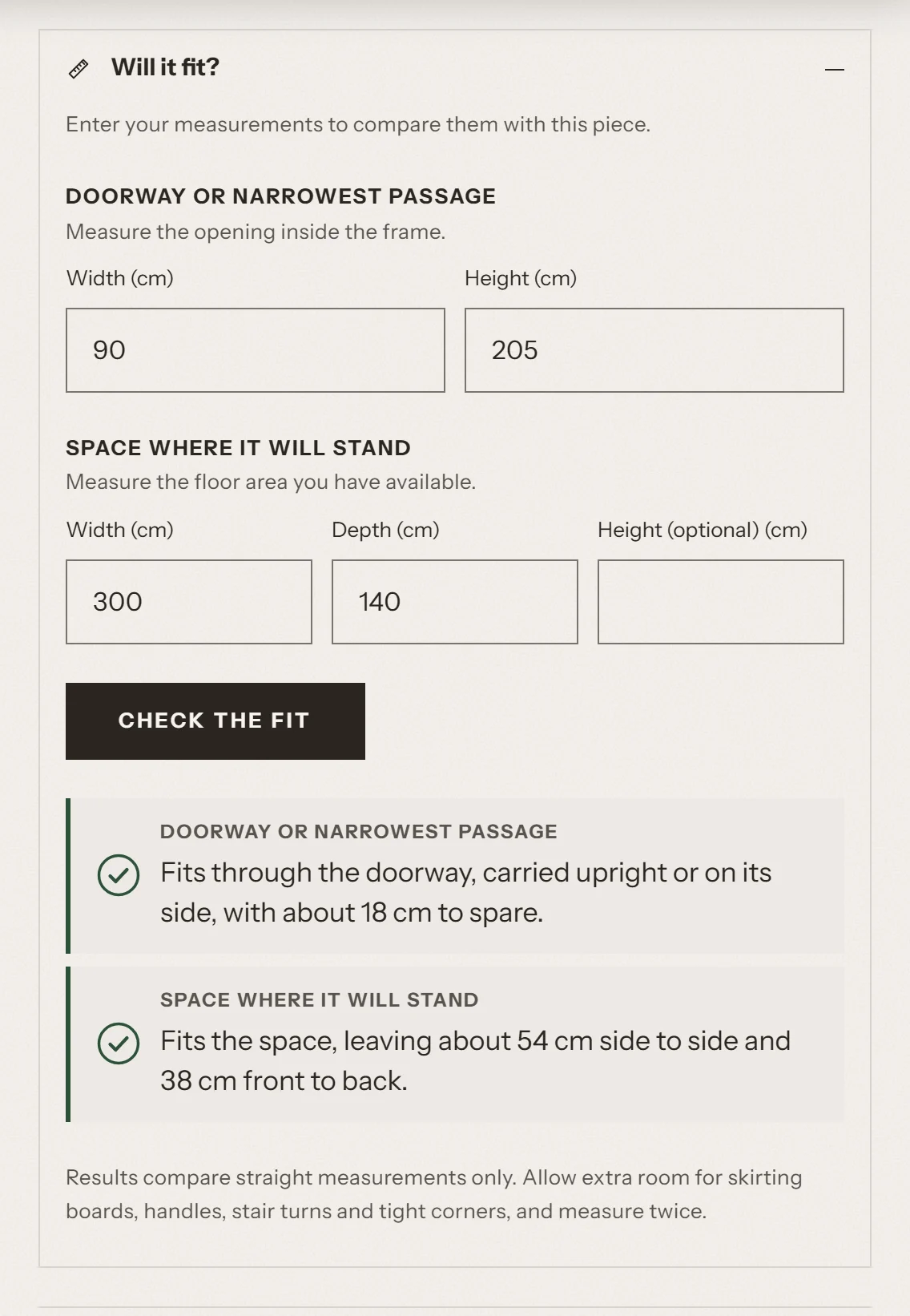
The fit helper sits under the dimensions. Customers type in two sets of measurements:
- Doorway: the width and height of the door. The helper checks the piece carried upright or on its side. It doesn't assume the piece can be tilted.
- Floor space: the width and depth of the space, and an optional height. The helper also tries the piece turned 90 degrees.
The result is clear: it fits (with the spare room), it's a tight fit, or it's too large (and by how much). Each result has an icon and text, and screen readers announce it. A short note reminds customers to allow extra room for skirting boards, handles, stair turns and tight corners. The check runs in the customer's browser and uses the units they selected.
Materials and care, as cards
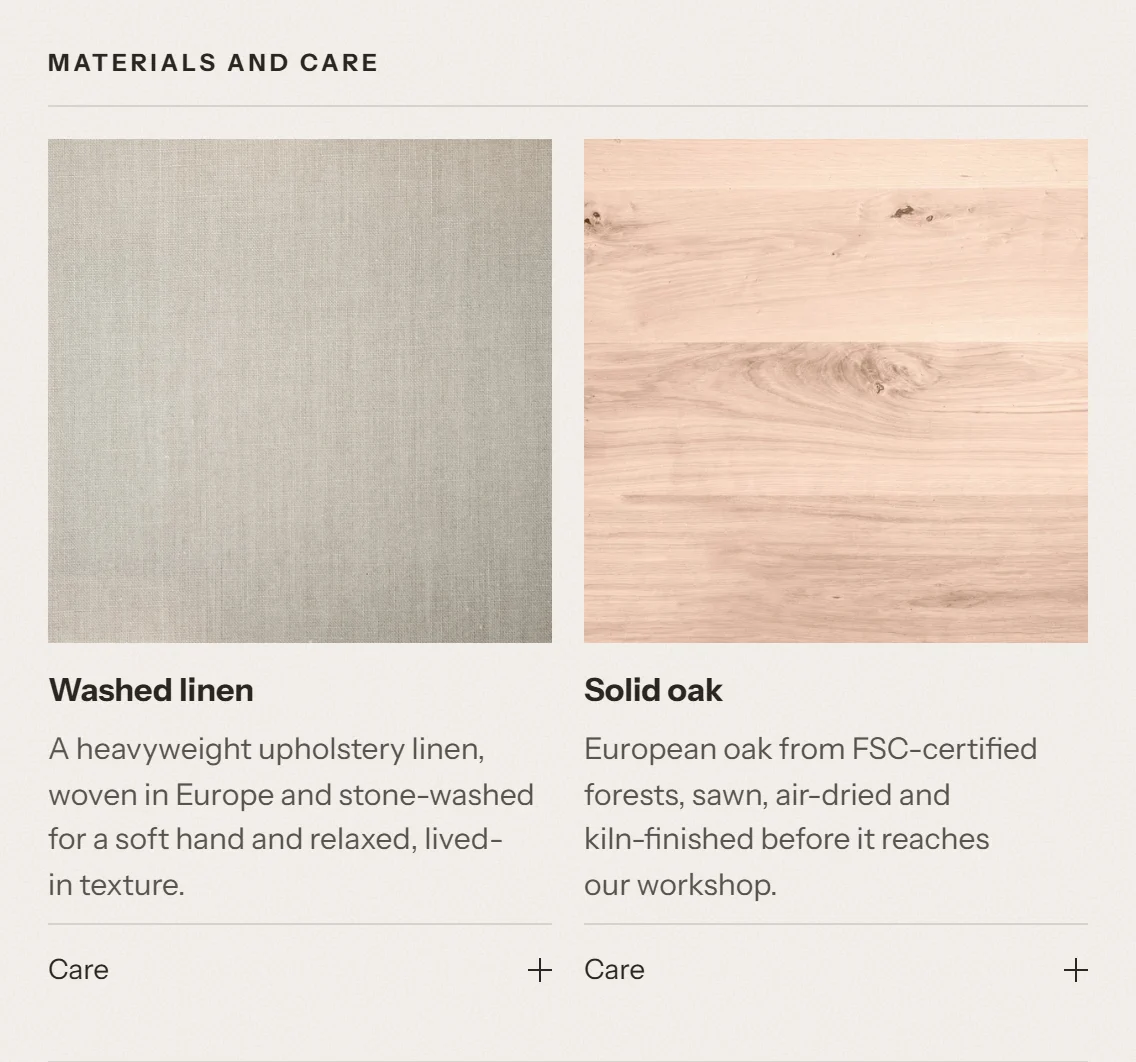
You describe each material once, as a "material" entry (a metaobject) with a name, an image, a description and care instructions. Then you link it to every product that uses it. When you update the entry, every product shows the change.
On the product page, the Materials and care block shows each material as a card: a large image, the name, the first sentence of the description, and care tips behind a toggle. If you prefer a compact view, choose the List layout instead.
Order a sample
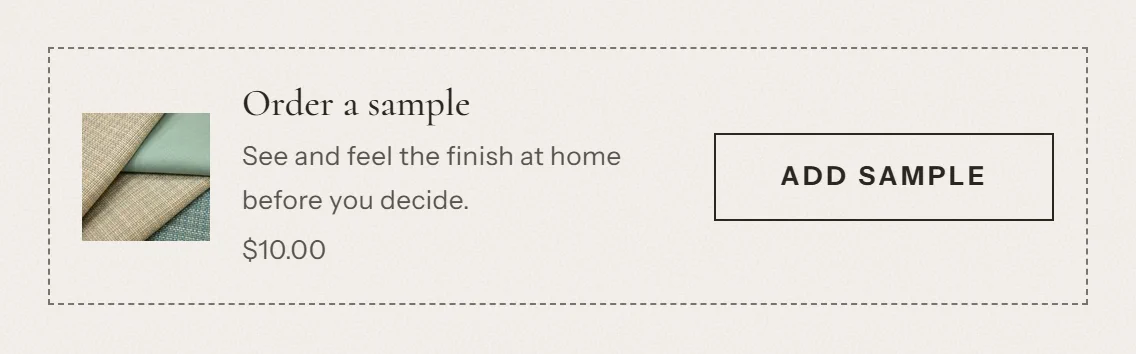
Customers who want to see and touch a finish can add a sample to the cart without leaving the product page. You link the sample product with a metafield, or you choose one sample for all products in the block settings. When the sample costs nothing, the card says "Free". The card is hidden on the sample's own product page.
Delivery and assembly
The Delivery and assembly block shows the details customers ask about most:
- the lead time, in your own words (for example "Made to order, ships in 6 to 8 weeks")
- the delivery method (for example "White glove delivery to your room of choice")
- whether assembly is needed
- a link to download the assembly guide (for example a PDF)
All text comes from you. Tenora doesn't invent dates or add countdown timers.
Shop the room
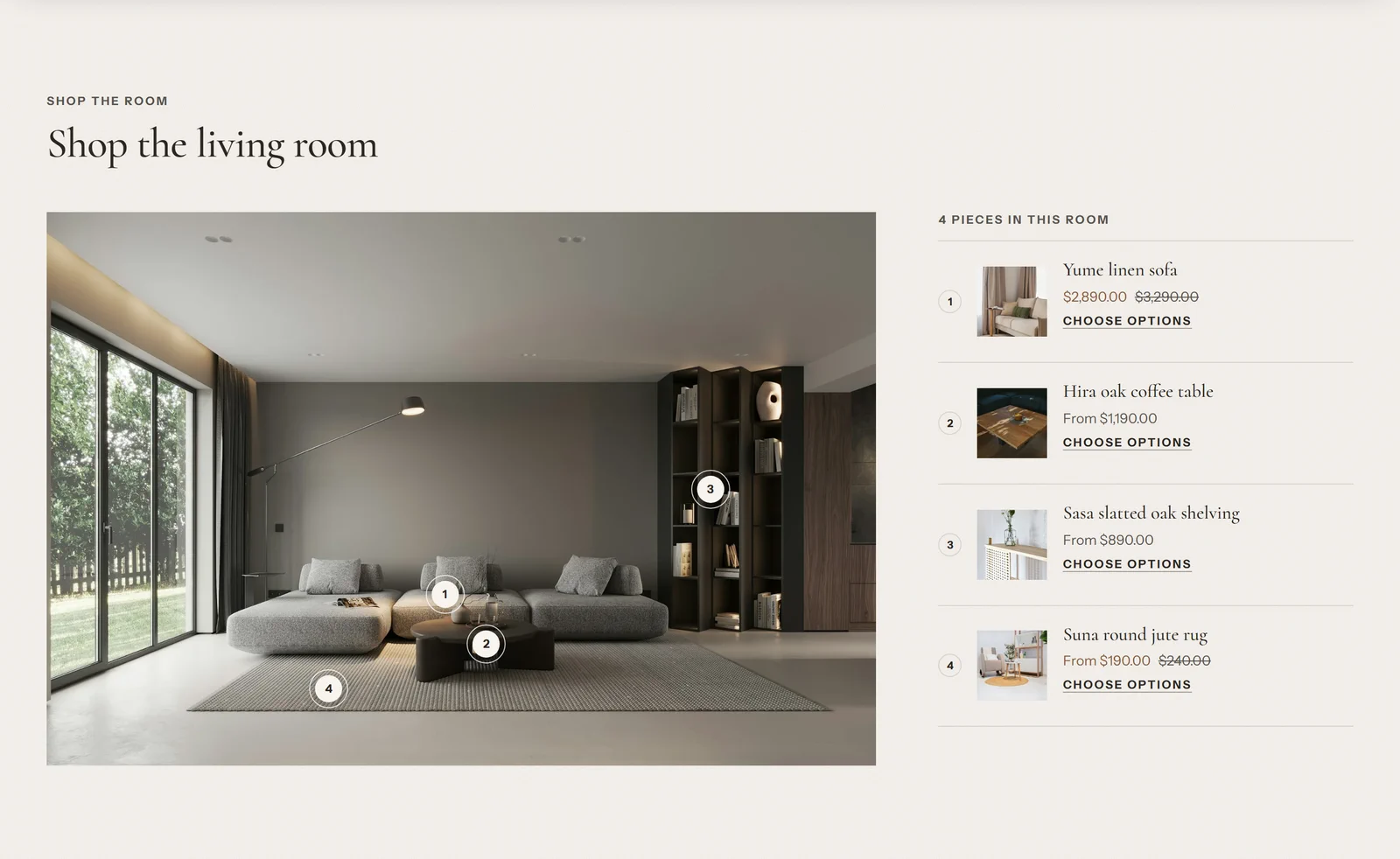
The Shop the room section turns a room photo into a shopping list. You place up to 8 numbered hotspots on the image. Each hotspot opens a small panel with the product, its price and a quick add button. For products with several variants, the panel links to the product page so the customer can choose options. A numbered product list next to the image shows the same products. On phones, the panel opens as a sheet from the bottom of the screen.
Speed, and why it matters
A fast store is easier to shop. Research supports this. In a study commissioned by Google and carried out by 55 and Deloitte (2020), the team looked at 37 brand sites in Europe and the US and more than 30 million user sessions. When mobile site speed improved by 0.1 seconds, retail sites saw conversions rise by 8.4% and average order value rise by 9.2%.
What we measured
We tested Tenora with Lighthouse on a real Shopify storefront:
- Where: a password-protected Shopify development store, with the theme installed as a development theme.
- When: 26 September 2026 (theme version 0.9.0).
- How: Lighthouse's mobile and desktop presets, 3 runs per page. We report the median of the 3 runs.
| Page | Mobile performance | Desktop performance | Accessibility (mobile and desktop) | Mobile LCP |
|---|---|---|---|---|
| Home | 98 | 100 | 100 | 2.1 s |
| Collection | 98 | 100 | 100 | 2.3 s |
| Product | 100 | 100 | 100 | 1.4 s |
| Blog | 99 | 100 | 100 | 2.2 s |
| Article | 99 | 100 | 100 | 2.0 s |
| Contact page | 100 | 100 | 100 | 1.0 s |
| Search | 100 | 100 | 100 | 1.3 s |
| Cart | 100 | 100 | 100 | 1.0 s |
| List of collections | 97 | 100 | 100 | 2.6 s |
LCP (Largest Contentful Paint) is the time until the largest image or text block is visible. Layout shift (CLS) was between 0.000 and 0.004 on every page, so content doesn't jump around while the page loads.
On 27 September 2026 we ran the tests again with Shopify's own theme review product data, which includes a product with 100 variants and products with long descriptions. Mobile performance was between 97 and 100 on all 11 pages tested, and desktop performance was 100.
Please note: these scores come from our development store. Your scores will depend on your images, your content and the apps you install.
How Tenora stays fast
- Each page loads only the styles and scripts it uses. For example, the product page styles and the filter styles load only on those pages.
- Images are responsive: the browser downloads a size that fits the screen. Images below the first screen load only when the customer scrolls to them.
- YouTube and Vimeo players load only when the customer presses play.
- The body font is preloaded, and fonts show text right away while they load.
Apps you may not need
Many stores install apps to add the features below. In Tenora they're built in, at no extra monthly cost:
| Built into Tenora | What stores often add an app for |
|---|---|
| "Will it fit?" helper and dimensions with a cm/in toggle | Size charts and fit checkers |
| Dimensions, materials and care from metafields and metaobjects | Product specification tabs |
| Shop the room with numbered hotspots | Shop the look and image hotspots |
| Order a sample with quick add | Product samples |
| Delivery and assembly details | Delivery information on the product page |
| Material cards with images and care tips | Material information and swatch displays |
| Country selector with search (for stores with more than 8 countries) | Country and currency selectors |
| Storefront text in 30 languages, besides English | Theme text translation |
An estimate of what you could save
We looked at the paid plans of apps in five of these categories on the Shopify App Store in September 2026. We used the entry-level paid plans, because a small store usually starts there:
| App category | Typical paid plans (per month) |
|---|---|
| Size charts and fit checkers | about 5 to 9 USD |
| Product specification tabs | about 3 to 10 USD |
| Shop the look and image hotspots | about 7 to 19 USD |
| Product samples | about 9 to 12 USD |
| Delivery information on the product page | 0 to about 7 USD (some are free) |
| Total | about 24 to 57 USD per month |
That adds up to about 290 to 680 USD per year.
To keep the estimate conservative, we did not include:
- Translations, because Shopify's own translation app is free.
- Country selectors, because many of these apps also redirect customers by location, which Tenora doesn't do.
- Material information, because it overlaps with product specification tabs.
This is an estimate, not a promise. App prices change, some apps have free plans, and apps often do more than the matching Tenora feature (for example, calculated delivery dates). The apps you need depend on your store. See Sources for how we made this estimate.
Accessible by default
Everyone should be able to shop your store, including people who use a keyboard, a screen reader or zoom. Tenora was tested for this during development:
- Automated checks on every page template. We scanned every page template with axe, an accessibility testing tool, against WCAG 2.2 level A and AA rules. The scans ran on desktop and phone widths and with menus, drawers, search, filters, hotspots and the fit helper open: 39 scans per browser, in Chromium, Firefox and WebKit. The theme had no violations.
- Keyboard tests. An automated test uses only the keyboard to go through menus, drawers, the cart, filters and forms. It checks that focus is visible, that the Tab order follows the page and that focus stays inside open drawers. All 51 checks pass in Chromium and Firefox.
- Color contrast. We checked every color scheme in all three presets. Text has a contrast of at least 4.5:1 with its background. Borders and icons have at least 3:1.
- Reduced motion. When customers ask their device for less motion, Tenora turns off entrance animations and smooth scrolling, and the announcement bar stops rotating by itself.
- Alternative text. Every image has an
altattribute. Images that are only decoration get an empty one, so screen readers skip them. In the product gallery, the product title is used when an image has no alt text of its own. - Touch targets. Buttons and links are at least 24 × 24 pixels.
Lighthouse accessibility scores were 100 on every page we tested (see What we measured).
Ready to sell worldwide
- Languages. The storefront text is translated into 30 languages, besides English. The theme editor is available in 20 languages, besides English. An automated check confirms that every language file has all texts, placeholders and plural forms. We also tested the layout with long words (German, Finnish, Russian) and with Japanese and Chinese text.
- Translation quality. The translations were made with machine assistance and checked automatically. A review by native speakers is planned for every language, starting with German, French, Spanish, Portuguese (Brazil), Italian, Dutch, Japanese and Turkish. You can change any theme text in your Shopify admin, under Edit default theme content.
- Right-to-left languages. If you add a right-to-left language to your store, such as Arabic or Hebrew, the page direction switches to right-to-left and drawers open from the correct side.
- Currencies. Prices use the currency formats of your Shopify Markets. You can turn on currency codes (for example "$12.00 USD" instead of "$12.00"), which helps when several currencies use the same symbol.
- Taxes and duties. Product pages and the cart show the correct note for your Markets settings: duties and taxes included, taxes included, duties included, or neither. When your store has a shipping policy, the note links to it.
- Country selector with search. When you sell to more than 8 countries, customers can search the list by country name, country code or currency code. Accents are ignored, so "Turkiye" also finds "Türkiye".
SEO foundations
Tenora gives search engines clear, well-structured pages:
- Structured data (JSON-LD).
- Home page: Organization (with your logo and social media links) and WebSite with a search action.
- Product pages: Product data from Shopify's
structured_datafilter. - Article pages: Article data from the same filter.
- Product, collection, collection list, blog, article and page templates: BreadcrumbList, from the breadcrumbs section.
- Meta tags. Page title (with the page number and filter tags when used), meta description when you have written one, and a canonical URL.
- Social sharing. Open Graph tags (title, description, page type, image with size and alt text, and price on product pages) and Twitter card tags.
- Clear headings. On product, collection, blog, article, page, search and cart pages, the page title is an
h1heading. - Language. Every page states its language and text direction.
- Image alt text and speed, as described above.
Three presets, one theme
Each preset is a different starting style. All three have the same features.
Tenora
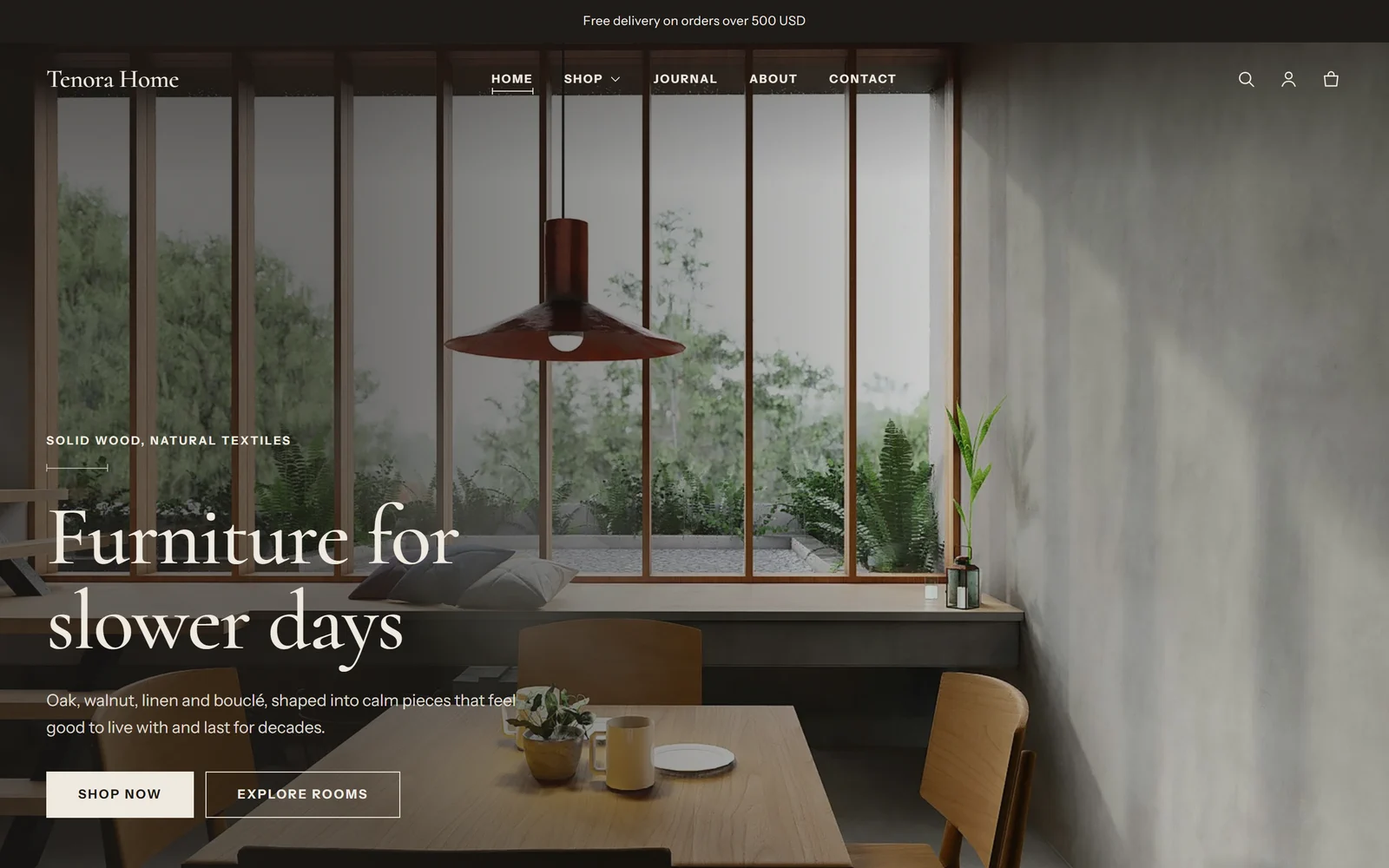
For furniture stores. Warm off-white and walnut brown colors, Cormorant headings and Instrument Sans text, square corners and product cards styled like material samples.
Terrace
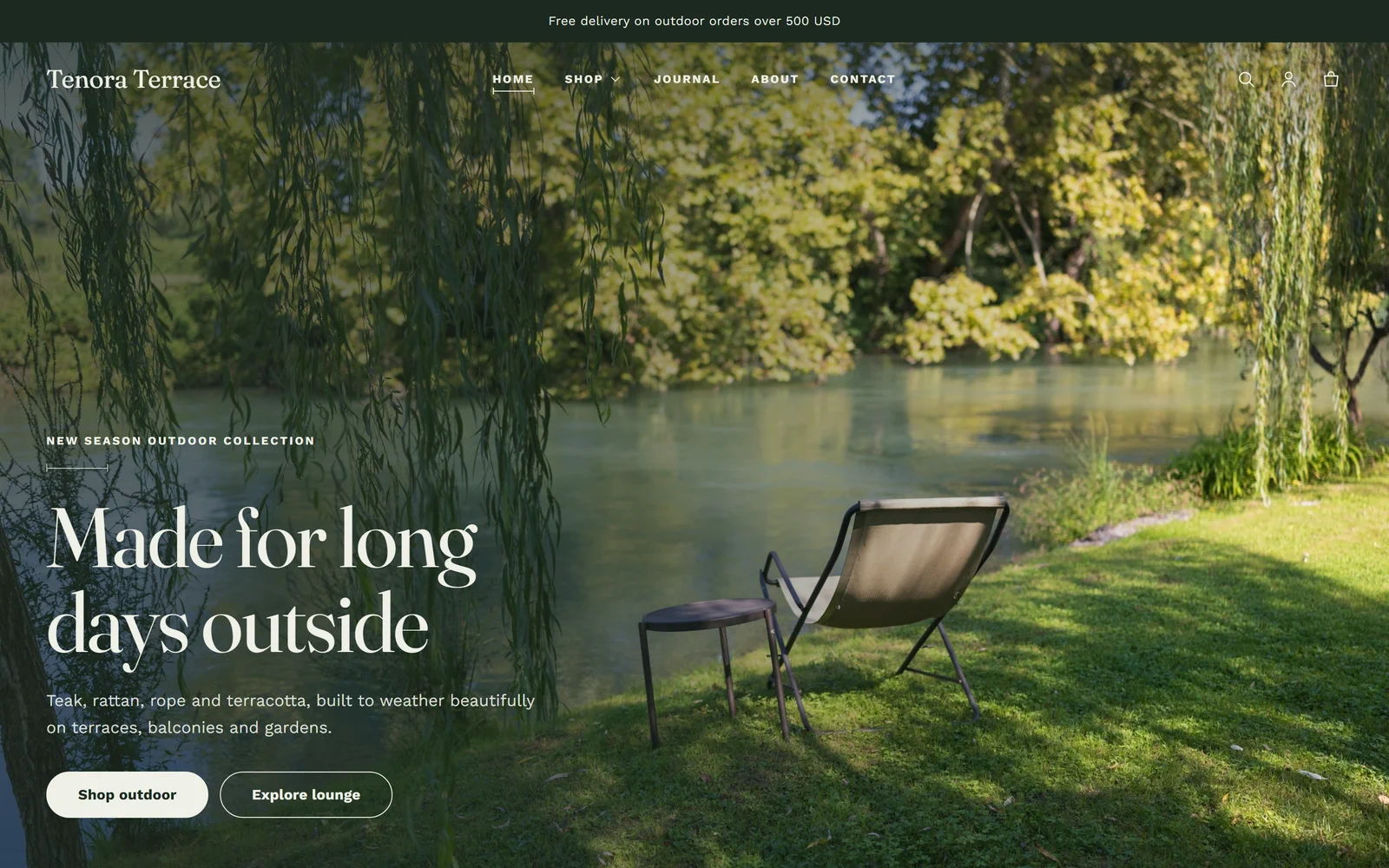
For outdoor and garden stores. Moss and sage greens with terracotta, Fraunces headings and Work Sans text, and rounded buttons and cards.
Lantern
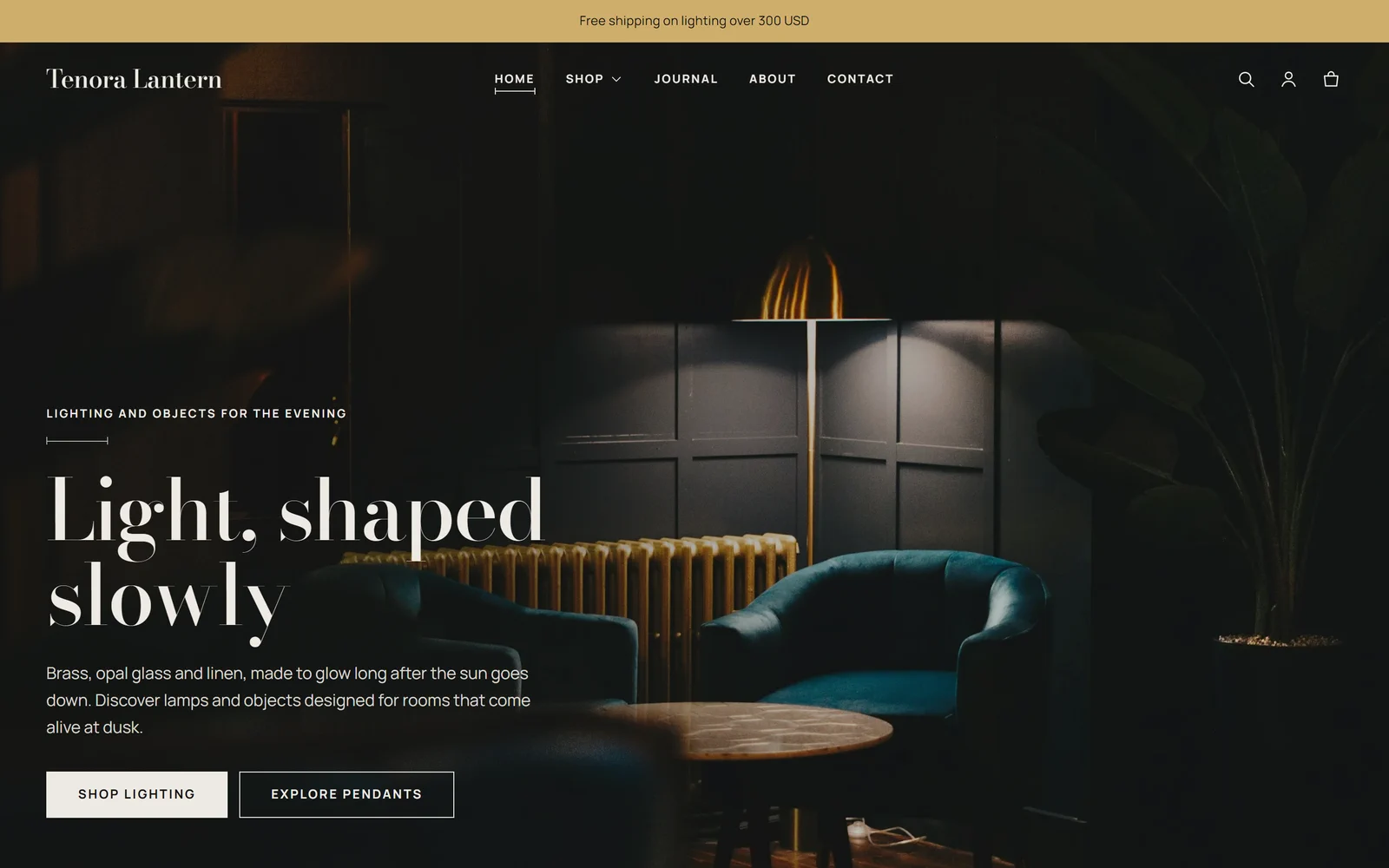
For lighting and décor stores. Near-black gallery colors with brass accents, Bodoni Moda headings and Manrope text, and wider pages with more space between sections.
You can switch presets or change any color, font or spacing in the theme editor.
Support
Kerfline, the studio that makes Tenora, answers support requests within two business days.
Contact us at: https://kerflinestudio.com/support
Sources
- Site speed study. Google, 55 and Deloitte, "Milliseconds Make Millions" (2020): a 0.1-second improvement in mobile site speed was linked to an 8.4% increase in retail conversions and a 9.2% increase in average order value. Summary on web.dev: Milliseconds make millions. Full report: Deloitte.
- Our Lighthouse results. Measured by the Tenora team on 26 and 27 September 2026 on a Shopify development store, median of 3 runs per page, with Lighthouse's mobile and desktop presets.
- How we estimated app costs.
- Where: the Shopify App Store, pricing shown on app listing pages, checked on 28 September 2026.
- What: for each category, we looked at 3 to 4 apps that appear in the App Store category pages or in App Store search results for that feature. We noted the price of the lowest paid plan, and in some cases the next plan.
- Range: the low end of the yearly range adds up the lowest typical monthly price in each category, times 12. The high end adds up the highest typical monthly price, times 12. We rounded to the nearest 10 USD.
- Not included: translations, country selectors and material information (see above), one-time charges, usage-based charges and taxes.
- Prices are in USD and can change at any time.